
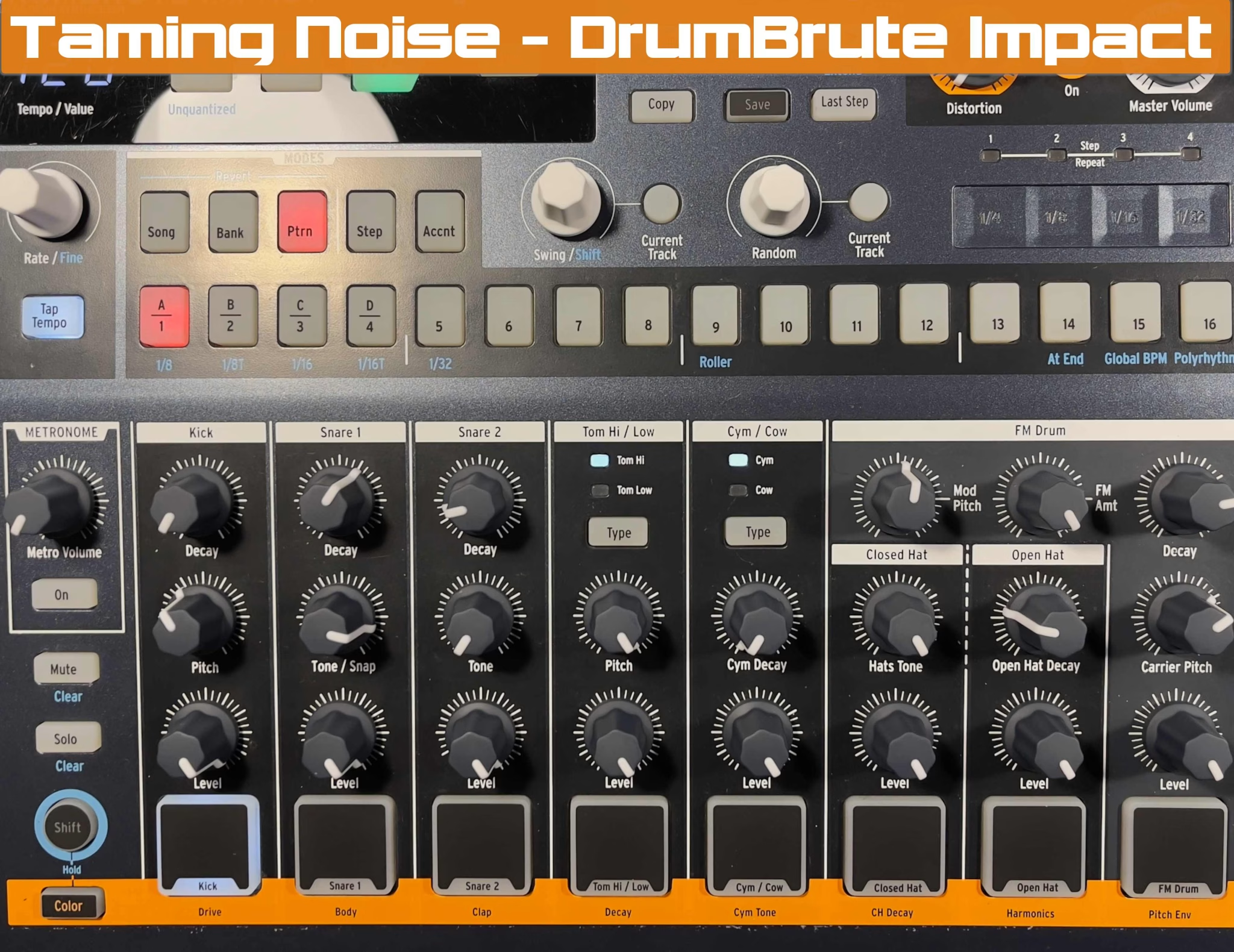
I picked up an Arturia DrumBrute Impact a couple of months ago. I was interested in the idea of using analog synthesis for drum sound generation, since the other drum machines I have are digital. I’m also about to do some traveling, and I wanted to get a working set of DrumBrute sounds available as samples to recreate the analog feel while I’m working away from the studio. So I set out to sample several sets of samples for use in sketching ideas – I would record the final tracks when I returned home.
It’s a noisy Brute
What I found in preparing to sample the instrument was that the DrumBrute Impact noise. It emitted a fair amount. Not just the noise floor – a white noise at the outputs normally associated with analog gear – but in addition to that, a buzzy whine at a fixed frequency. I searched the Internet for similar reports and found that the issue is common – the DrumBrute is known for noise emitted from the power supply and the LEDs.
This post is not to commiserate with fellow Arturia drum machine owners about the noise and how it probably should have been addressed during Arturia’s design phases, but rather to discuss how to manage and reduce the noise of the DrumBrute Impact while using the instrument.
First, let’s take a look at what is going on
The DrumBrute Impact generates 10 analog sounds – a Kick, two Snares, Hi and Low Toms, Cowbell, Cymbal, Open and Closed Hi Hats, and an FM Sound. Each generator, except Cowbell, has an alternate “Color” setting that you can quickly enable on a per-drum basis from the front panel. Also, the main output circuit has a Distortion circuit.
The Main Mix Output is mono, with 4 x individual outs for Kick, Snares, Hi Hats, and FM Drum. The individual outs are 1/8” (3.5mm) connectors, and between those and the clocking inputs and outputs, it’s clear that Arturia had some level of integration with modular and semi-modular synthesis systems in mind. There are USB and 5-pin DIN MIDI connections as well. The power supply is an external “wall-wart” supply.
The feature summary is completed; let me describe the noise that I was hearing when sampling. I connected the DrumBrute Impact to my Apollo X4 for sampling. My normal approach to sampling instruments is to turn the volume all the way up. This is a typical practice when maximizing the signal-to-noise ratio. Once I did, I could hear at a low level was a buzzing/humming sound in my headphones, so I increased the level. Here are audio recordings of the noise I heard, with the Apollo input gain set at maximum. To me, this noise was bothersome, even though I would never run the input preamps at this level.
The noise at the start – preamp is cranked
The Deets
Here are screen captures using a VST spectrum analyzer (gFractor from Growl Audio – highly recommended and free). You can see the noise frequency and its harmonics. I found that enabling the distortion circuit for the DrumBrute Impact only made matters worse, as I would expect. So, what’s going on? My sense is that what we can see here is a noise signal, and its harmonics – probably the power supply and/or the LED refresh rate within the box.

I found another interesting behavior as I tested this setup. I found that the DrumBrute Impact noise level drops at certain points during the sweep of the volume pot. So, at maximum volume and at minimum volume setting of the Master Volume pot, you can hear the noise. As you turn from Maximum to Minimum, however, the noise level drops significantly – almost to the point you can’t hear it.
Things I tried to mitigate the noise
I attempted several fixes in the setup to eliminate the noise. The most obvious – I confirmed that the power supply was connected to the same power socket as all of my other gear – no ground loop.I had another power supply with the same specifications – changing to that showed no difference. I placed a ferrite choke on the wall-wart power supply – no change.

I rerouted the cables around various computing gear. I tried different cables – both longer and shorter. None of these attempted fixes eliminated the noise. I was convinced that the DrumBrute was the source, and it was just noisy. As I mentioned above, Internet searches confirmed this with reports from all over the world.

Steps forward
So, how to we deal with a situation like this? I promise you, it won’t be the first time or last time we encounter it. The answer is to properly adjust the gain staging throughout the system – to adjust the output levels of the DrumBrute Impact and the input levels of the Apollo X4 to minimize the noise. I took note of the two positions on the Master Volume knob where the noise level dropped on both the Normal and Distortion On modes – they were different. I positioned the DrumBrute Impact Master Volume at the “low noise” position and increased gain on the input of the Apollo X4 so that I achieved good levels for sampling. This gain-staging best practice would apply to either recording the DrumBrute Impact for beats/songs or for sampling.
In general, you will probably be better off doing this with most instruments anyway, because for the most part, with most manufacturers, Mic/Line inputs are designed to be low-noise in comparison to instrument outputs. This would be the proper use of the various gain stages in this system.It’s very possible that you should consider doing an exercise similar to what we are doing with the DrumBrute Impact with every piece of gear you own, whether you are sampling or not. Use your headphones, if you wish, but be careful with monitoring levels while you are playing the instruments.
End Result and Summary
Here’s what I ended up with – a DrumBrute with a high noise floor, but no annoying hum. I turned down the gain after making this recording to the point where the noise floor was negligible.
The noise at the END – preamp is cranked
There are times when you just conclude: “that thing is just noisy.” That’s the case with Arturia’s DrumBrute Impact. It’s just noisy. Fortunately, there’s sweet spots in the output circuitry that go a long way towards eliminating the noise and hum that you will encounter with this instrument – right about to the point where it’s a reasonable low-noise source for sampling. I have not reviewed the samples I recorded at this point, and it may be possible that noise reduction from Isotope may be needed before I use them, but that doesn’t take too long. In any case, we have learned a method for gain-staging gear in a system and probably added a “to do” to your list.
Here at SoundEngine, I’m all about sharing decades of knowledge to make your music more effective. From time-saving tips and products to step-by-step synthesis tutorials. I’ve covered a lot of functionality in our Blog, from Dexed to K1v, to Logic Sampler to SysEx, and there’s a lot more planned. Please drop a note to me if you’d like to be alerted when new posts are published.
In the meantime, thank you for reading, and I hope this post has given you some creative horsepower for your tunes.
Leave a Reply
You must be logged in to post a comment.